
Roof inspection & project documentation
Your roof inspection
in photos and video.
See where we found a problem, which repair we recommend and what the crew did before the finish coat went on. We use CompanyCam to organize those records for your property.
 CompanyCam
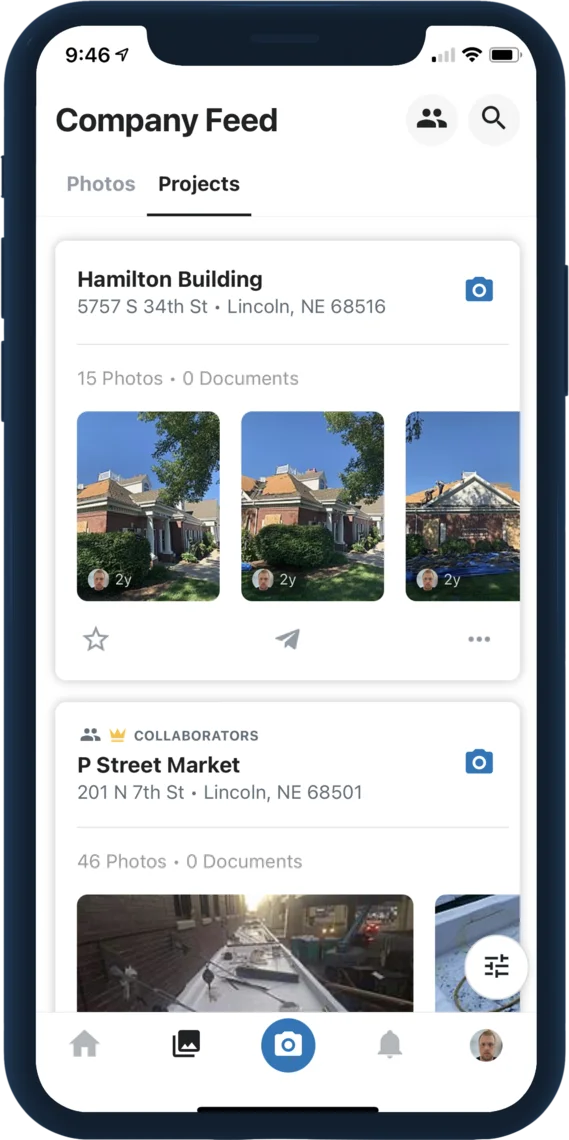
Sample gallery walkthrough
A roof restoration,
day by day.
Follow a roof wing in Anderson, South Carolina, from its original condition through seam treatment to the finished topcoat. These are Diamond’s photographs from our work with Chandler Roofing. The dates, photographer names and captions illustrate how your gallery can look.
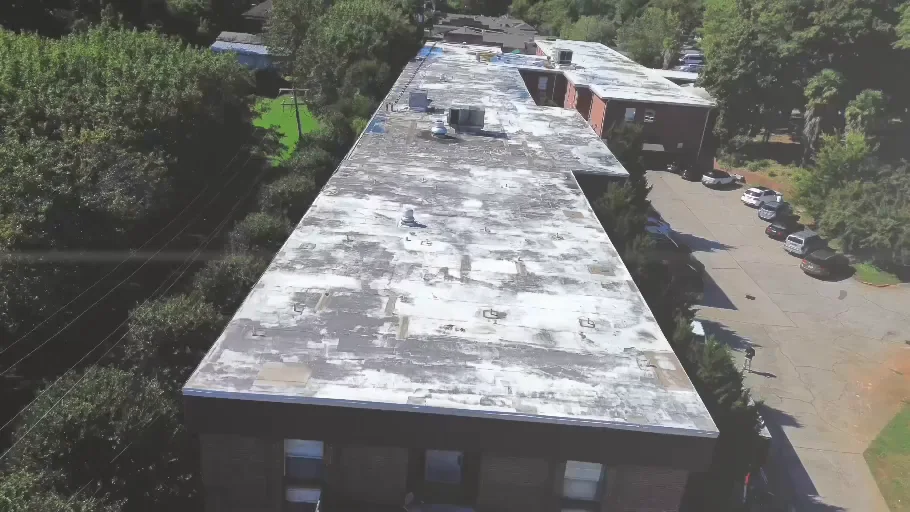 Day 1
Before restoration
The wide view records the weathered surface across the roof wing before restoration.
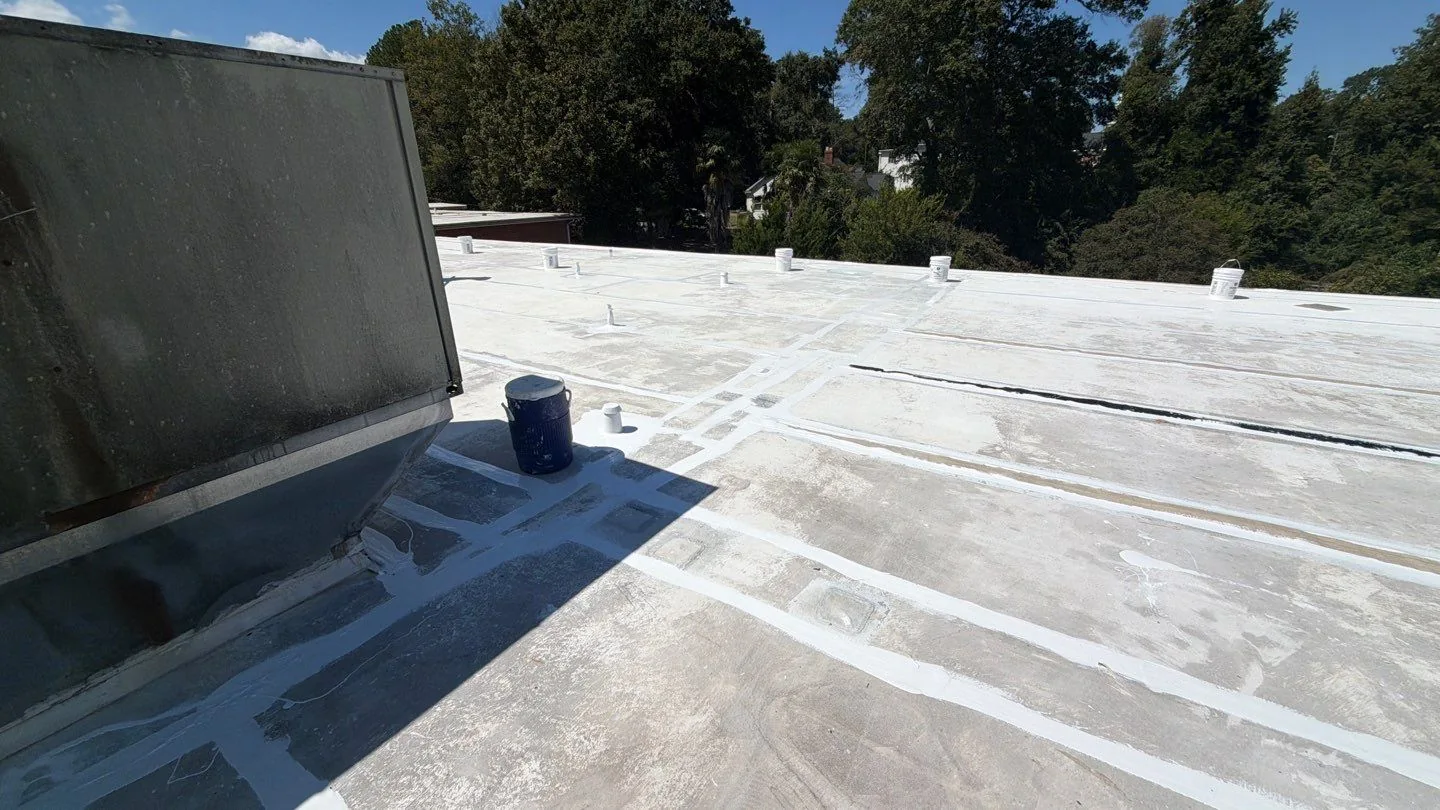 Day 3
Seam treatment
White treatment follows the field seams and the perimeter of the equipment curb.
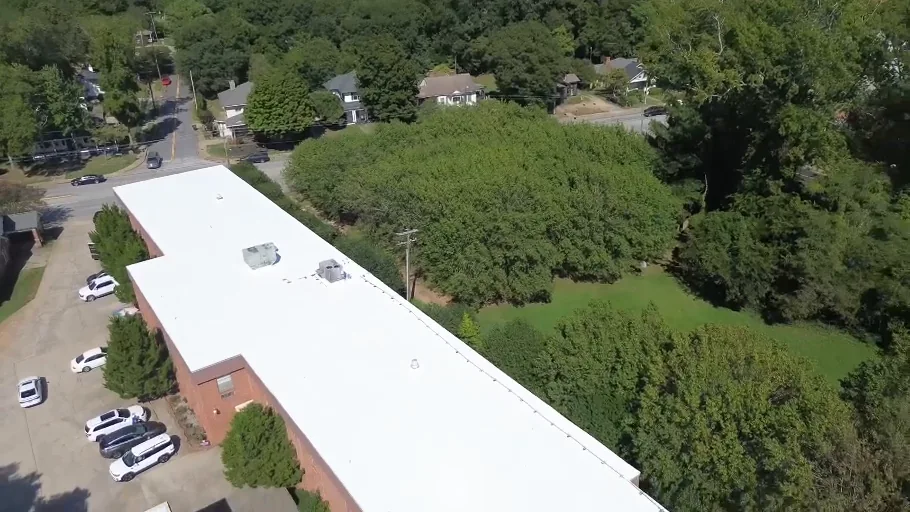 Day 5
After topcoat
The white topcoat extends across the restored wing, seen from above.
What to expect from Diamond
From the first inspection to closeout.
- Before we start
- We document every visible, accessible aspect of the agreed project scope before work begins. We photograph each work area, its boundaries and existing condition, then take close-ups of details such as seams, drains, flashing, penetrations and nearby equipment. We identify inaccessible or concealed areas and document them when they become accessible.
- When you review the scope
- Each significant finding can be tied to a roof section, a recognizable landmark and a proposal item. For example, a wide shot locates a rooftop unit, a marked-up detail points to an open panel lap beside it, and the description explains the proposed repair. If the source of an interior leak still needs investigation, we say so.
- While the crew is working
- We send progress galleries periodically throughout the project, often daily during active work. We agree on recipients and timing with you before mobilization. Where the scope calls for it, we record washing, localized repairs, reinforcement and penetration details before the next layer covers them.
- At completion
- Compare the original condition with the completed work by roof area. Your closing set can identify the repair location, the work performed and any open items. Save the selected photos with your proposal, maintenance records and applicable warranty documents.
Your project link
Open it on site.
Share it with the board.
Your Diamond contact sends the link by text or email and identifies the property and project phase. Open it in a browser on your phone, tablet or computer. You can view the shared photos without an app or account and forward the same link to the people reviewing the work.
The message carries a link, so the complete photo set stays out of your inbox and camera roll. Viewing uses internet data. Download photos when you want local copies for a meeting or your property records. Anyone with the gallery link can open it, so share it with your intended reviewers.
If your gallery link no longer opens, call Diamond at 912-207-6273 with the project name and the date of the update. Our office can confirm who should receive the photos and send a replacement link.
Which record will I receive?
Selected photo gallery. A fixed selection of photos with the details we choose to share. It provides a common reference for one inspection, decision or construction milestone.
Project Timeline. When agreed for your job, we can share a live link that updates as new project photos are added. A short video walkthrough can accompany an update when motion helps explain the finding.
Photo report. If a formal report is included in your scope, it can group images and written findings by roof section and be shared as a link or PDF.
CompanyCam reports that more than 30,000 companies use its platform for project management. See its guides to galleries and timelines and sharing a report.
Request a documented roof assessment.
Tell us which building needs attention and who should receive the inspection findings.
Commercial roof inspections · Roof coatings · Waterproofing and leak repair